
Why Is My PDF File So Large?
Shrink a bloated PDF in your browser — pick a level, see the size you saved, no upload.
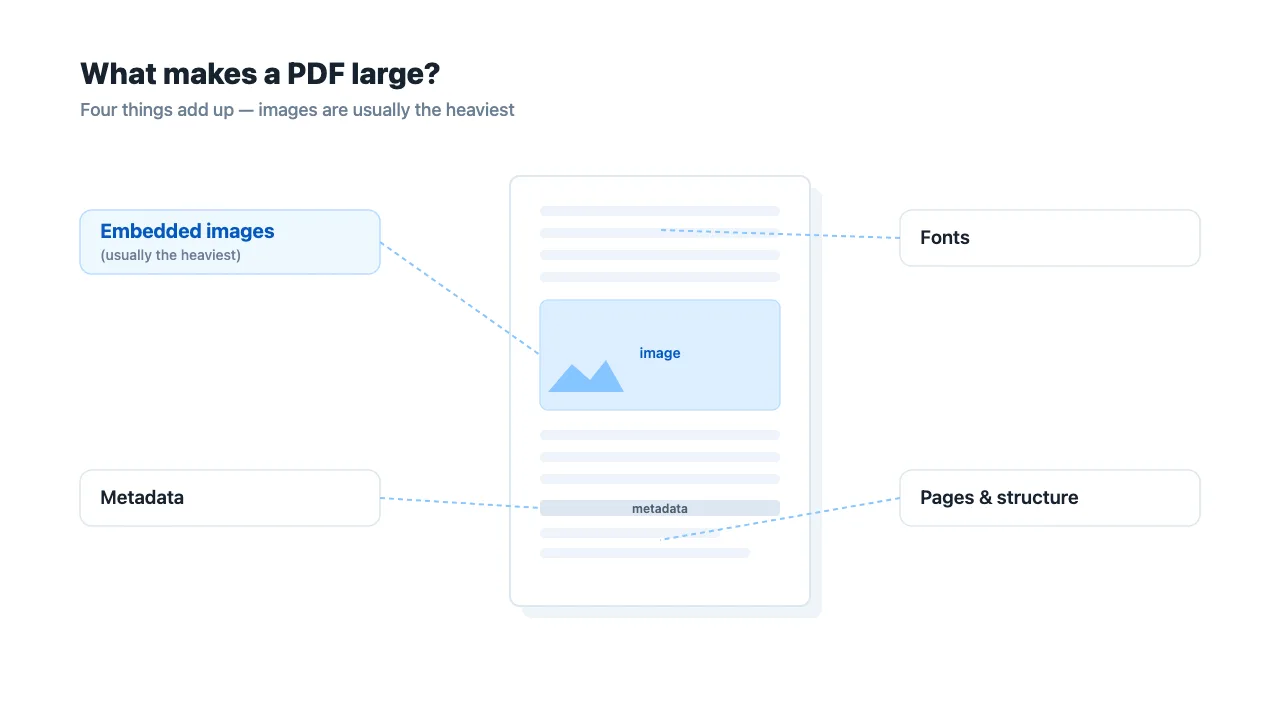
You exported a two-page report and the file is 8 MB. Or a scanned contract is 40 MB for 20 pages. PDFs do not grow by page count alone — a single heavy ingredient can dwarf everything else. Knowing which ingredient is to blame tells you whether compression will help and which tool to reach for.
The usual suspects
1. Embedded images and high-resolution scans
This is the most common cause by far. A PDF is a container, and when you drop in a photo straight from a phone (often 3000–4000 px wide) or scan at 300–600 DPI, that image is stored inside the file at full size. A few such images can add megabytes before you have added a single word of text.
Scans are the extreme case: every page is essentially a photograph of the paper, so a 20-page scan is 20 large images stacked together. There is usually no selectable text to "optimize" — the only way to shrink it is to re-encode those page images at a lower resolution or quality.
2. Embedded fonts
A PDF keeps its layout by embedding the fonts it uses. That is good for fidelity, but it costs space. Some files embed entire font files (every glyph), while others embed only the subset of characters actually used. A document that pulls in several full fonts — especially with CJK or symbol-heavy typefaces — can carry hundreds of kilobytes of font data that structure optimization can compact by keeping only the subsets used.
3. Leftover metadata
Every save, export and re-export can stack on metadata: producer, creator, dates, and application-specific tags. None of it is visible on the page, but it adds bytes and, more importantly, it can leak information you did not mean to share. Structure optimization strips this redundant metadata as part of compaction.
4. Already-compressed streams with nothing left to remove
Some PDFs are generated already tight: their internal streams are compressed and there are no large embedded images to re-encode. In that case the file may simply be near its natural floor. An honest tool says so and returns your original unchanged rather than pretending it shrank the file.
5. Sheer page count and vector content
Many pages add up, and vector drawing (detailed diagrams, CAD-style art) stores precise geometry that does not compress like a photo. These cases shrink less dramatically than image-heavy files.
Quick way to tell what is bloating yours
You do not need a special inspector. Ask two questions:
- Is the text selectable and copyable? If yes, the file is text-based or mixed, and structure optimization (lossless) is likely to help a lot. If no, it is a scan or image PDF, and only page re-encoding will shrink it.
- Does it have photos or was it scanned? If yes, the images are almost certainly the weight. That is where the biggest savings come from.
How to shrink it
Open the Compress PDF tool and pick a level:
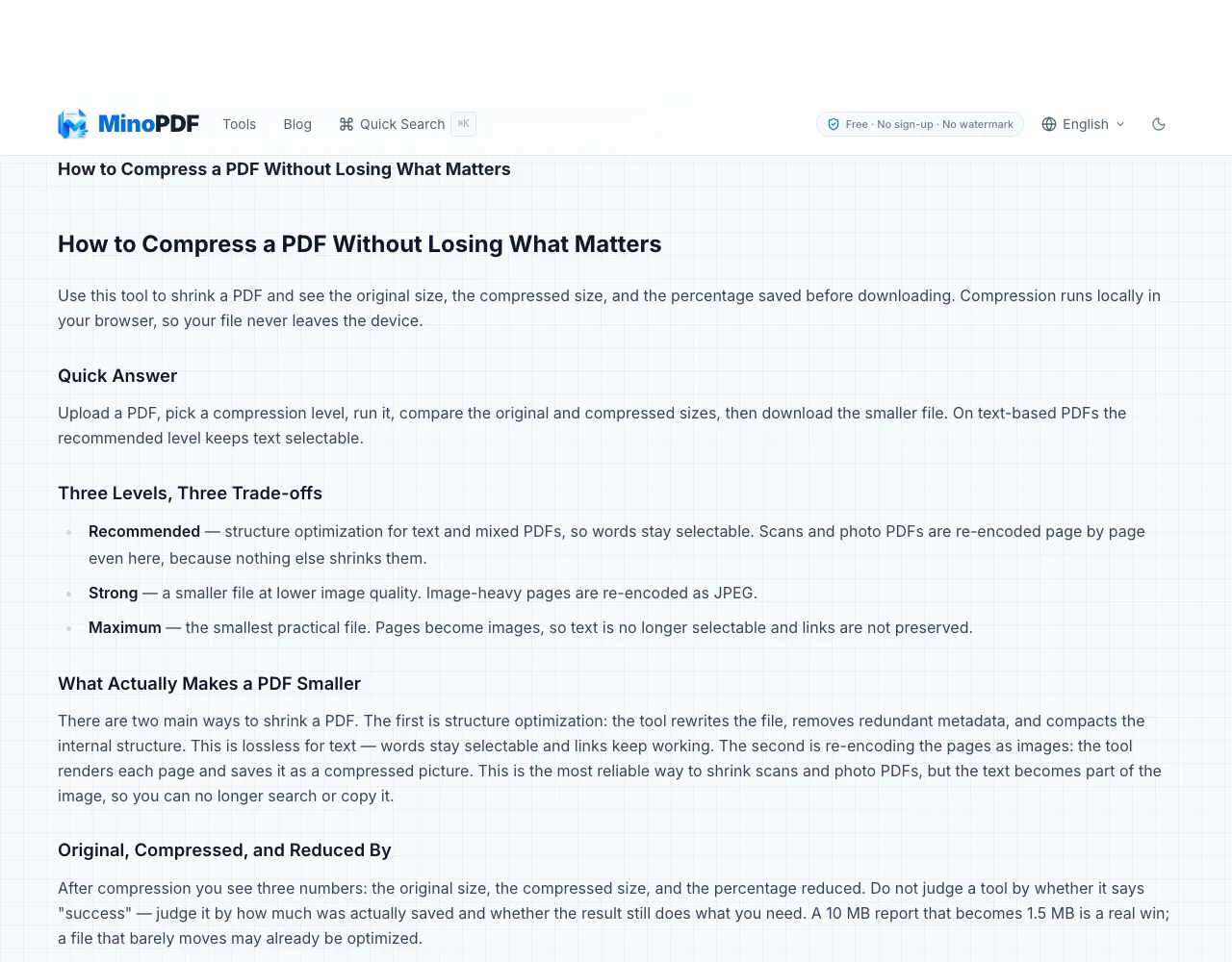
- Recommended — structure optimization for text and mixed PDFs, so words stay selectable and links keep working. Scans and photo PDFs are re-encoded page by page even here, because nothing else shrinks them.
- Strong — a smaller file at lower image quality; image-heavy pages are re-encoded as JPEG.
- Maximum — the smallest practical file; pages become images, so text is no longer selectable and links are not preserved.
After compression you see the original size, the compressed size and the percentage saved, so you can judge the real result before downloading. On a text-based report, structure optimization alone can take a multi-megabyte file down to around a megabyte while the text stays selectable — the tool's own example shows a 5 MB report reduced to about 1.2 MB.
If you need the file under a hard portal or email limit (100 KB, 200 KB, 500 KB or 1 MB), use Compress PDF to Target Size instead. It searches from gentle to aggressive and stops the moment the file fits under your target.
When compression will not help much
Be realistic about two cases:
- Already-tight files. If the streams are compressed and there are no large images, there is little to remove. The tool returns your original and tells you, rather than producing a bigger or fake-smaller file.
- Mostly text, no images. Text compresses well already, so a plain text PDF is often small to begin with; the gain is usually modest structure cleanup rather than dramatic shrinkage.
For image-heavy or scanned PDFs, the trade-off is clearer: shrinking means re-encoding pages as images, which makes text non-selectable. Choose the largest target the destination accepts so you keep as much quality and selectable text as possible.
Is my PDF uploaded?
No. Compression runs entirely in your browser. Your PDF never leaves the device and is not sent to any server. Because it runs locally, very large or many-page files are limited by your available memory; if a file is too large, the tool tells you and suggests a smaller file or fewer pages.
Frequently Asked Questions
Why is my PDF so large when it has almost no text?
It almost certainly contains embedded images or is a scan. Each photo or scanned page is stored at full resolution inside the file, and that image data — not the page count — is what makes the size balloon. Re-encoding those images is what shrinks it.
Does compressing a PDF remove the embedded fonts?
Structure optimization keeps only the font subsets actually used and compacts them, which usually makes the file smaller without harming how it looks. Pages that are re-encoded as images no longer carry live text or fonts at all — they become pictures of the page.
Will compression delete my metadata?
Structure optimization removes redundant metadata as part of compaction, which both trims a few kilobytes and avoids leaking producer, creator and date information. If you want metadata gone specifically, use Remove PDF Metadata.
Why didn't my PDF get smaller?
Either the file was already well optimized (compressed streams, no large images to re-encode), or it is mostly text that compresses well already. When no path makes the file smaller, an honest tool returns your original unchanged and says so, instead of pretending the compression worked.
Can I make a scanned PDF smaller without losing all quality?
Yes, by re-encoding at a moderate resolution and JPEG quality rather than the maximum setting. Use the plain Compress PDF tool at Strong, or the target-size tool with the largest target the destination allows, so you keep as much clarity as the limit permits.
Related Tools
- Compress PDF — pick a level and see original vs compressed size before downloading.
- Compress PDF to Target Size — shrink to a hard limit like 100 KB, 200 KB, 500 KB or 1 MB.
- Remove PDF Metadata — strip leftover metadata that adds bytes and can leak information.
Have a question or feedback? Contact us